Kingston University · MSc thesis · 2024
FigAI, an AI assistant for Figma
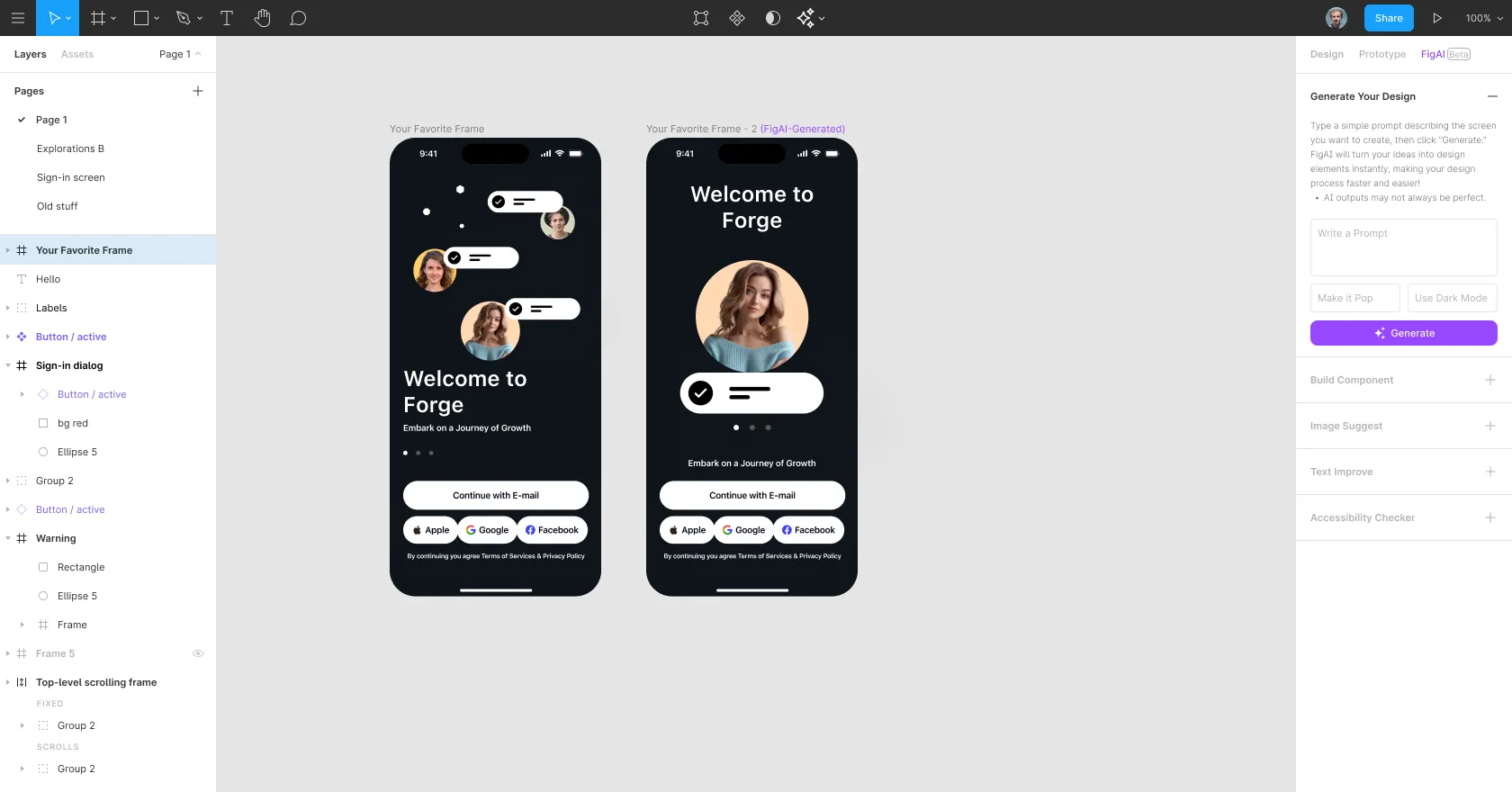
In tests with three designers, turning a rough sketch into a hi-fi screen took 30 to 150 seconds.
30–150s
from rough sketch to hi-fi screen
3
designers in usability tests
9
tasks timed and observed
00 / Summary
- Role
- UX designer
- When
- August 2024
- Platform
- Figma plugin concept
- Method
- Design thinking
- Colour
- #9747FF
- Problem
- Designers lose momentum to housekeeping like renaming layers, checking copy and auditing accessibility.
- What I did
- Designed an assistant inside Figma for sketch-to-hi-fi, smart renaming, copy editing and accessibility checks.
- Result
- Usability tests with three designers pointed to real time savings, and showed accessibility feedback needed to explain why.
01Problem
The creative block isn’t a lack of ideas. It’s housekeeping.
Every designer knows the moment: deep in a hard UX problem, and suddenly it’s time to rename 50 layers, spell-check the copy or build a component variant by hand. My hypothesis was simple: knowing the tool shouldn’t be the bottleneck for creativity.
Early scoping showed the problem hits each level of experience differently. Experts need speed and hate the housekeeping. Juniors need guidance and get lost in advanced features. Freelancers need consistency across clients’ design systems.
02Discovery
Three places where the workflow breaks.
I used 5 Whys and narrative mapping with designers to dig into the daily struggle, alongside a review of the design tools they used.
- The blank canvas. Starting from nothing is slow. Designers wanted to go from a rough sketch to an editable screen.
- Layer hygiene. “Frame 144 copy 2” is the enemy of developer handoff, and renaming is the most hated task.
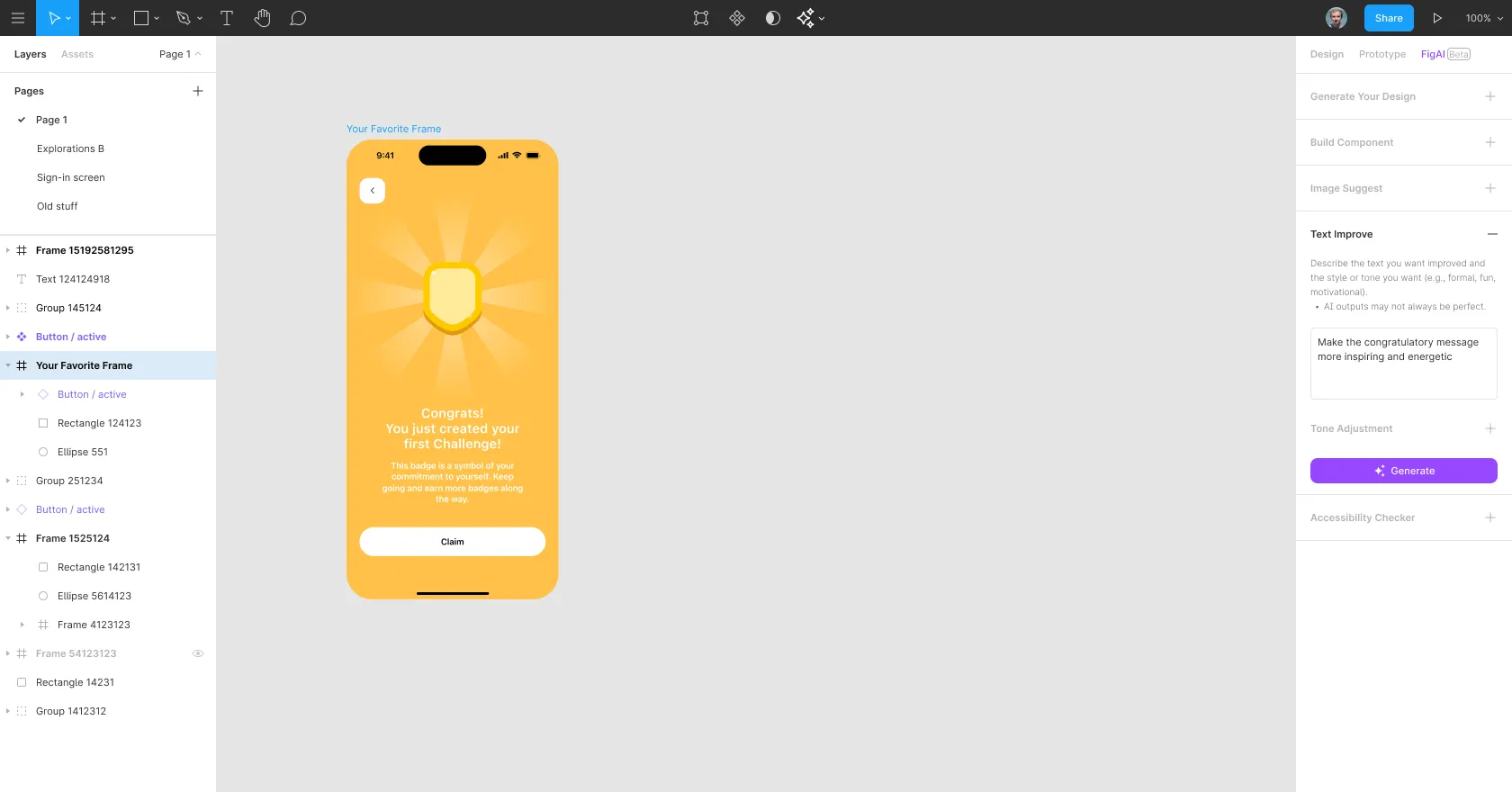
- Late feedback. Accessibility and copy feedback usually arrives after the work is done. Designers wanted it while designing.
03Solution
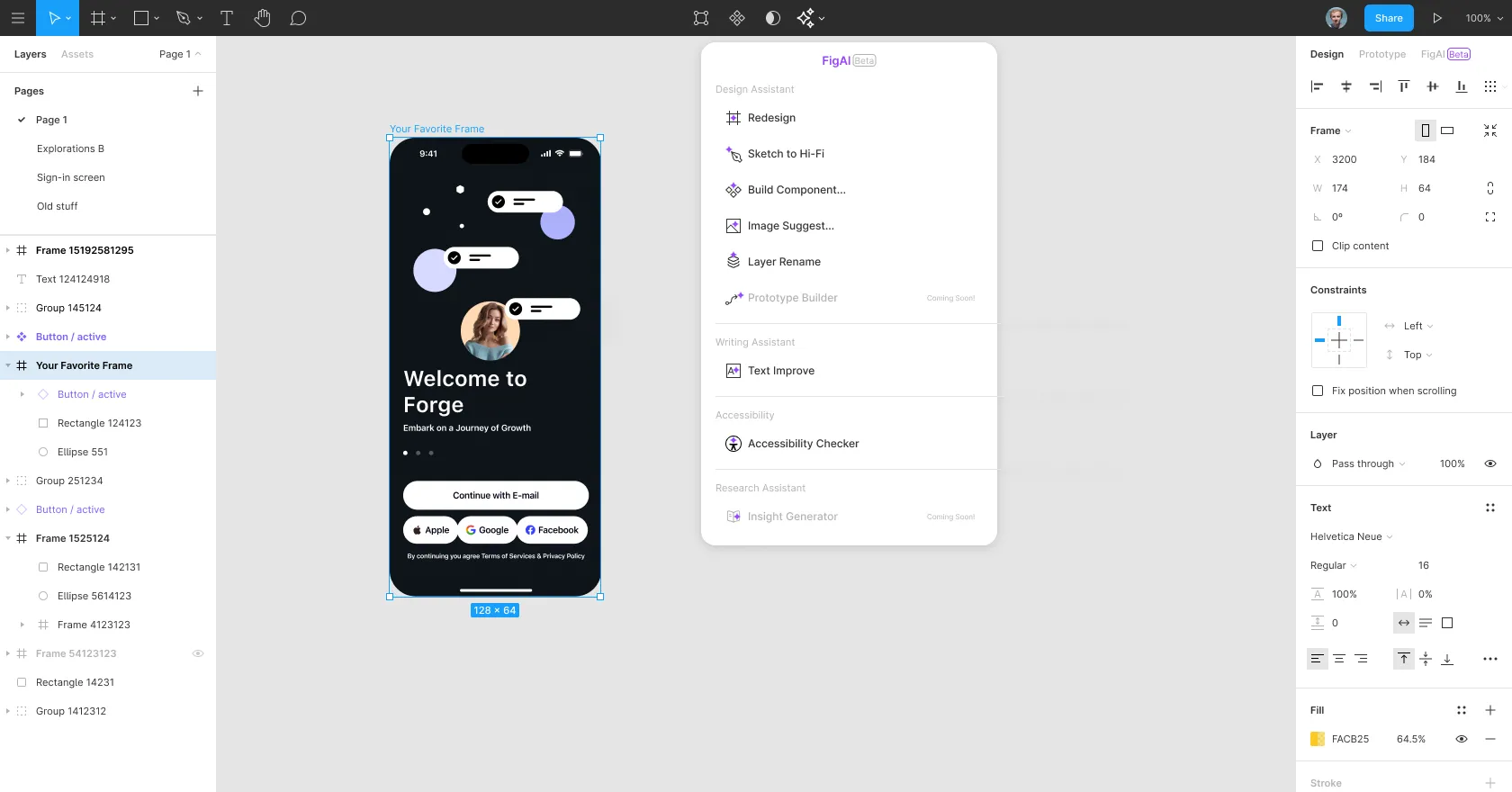
Meet FigAI, an assistant that lives in the editor.
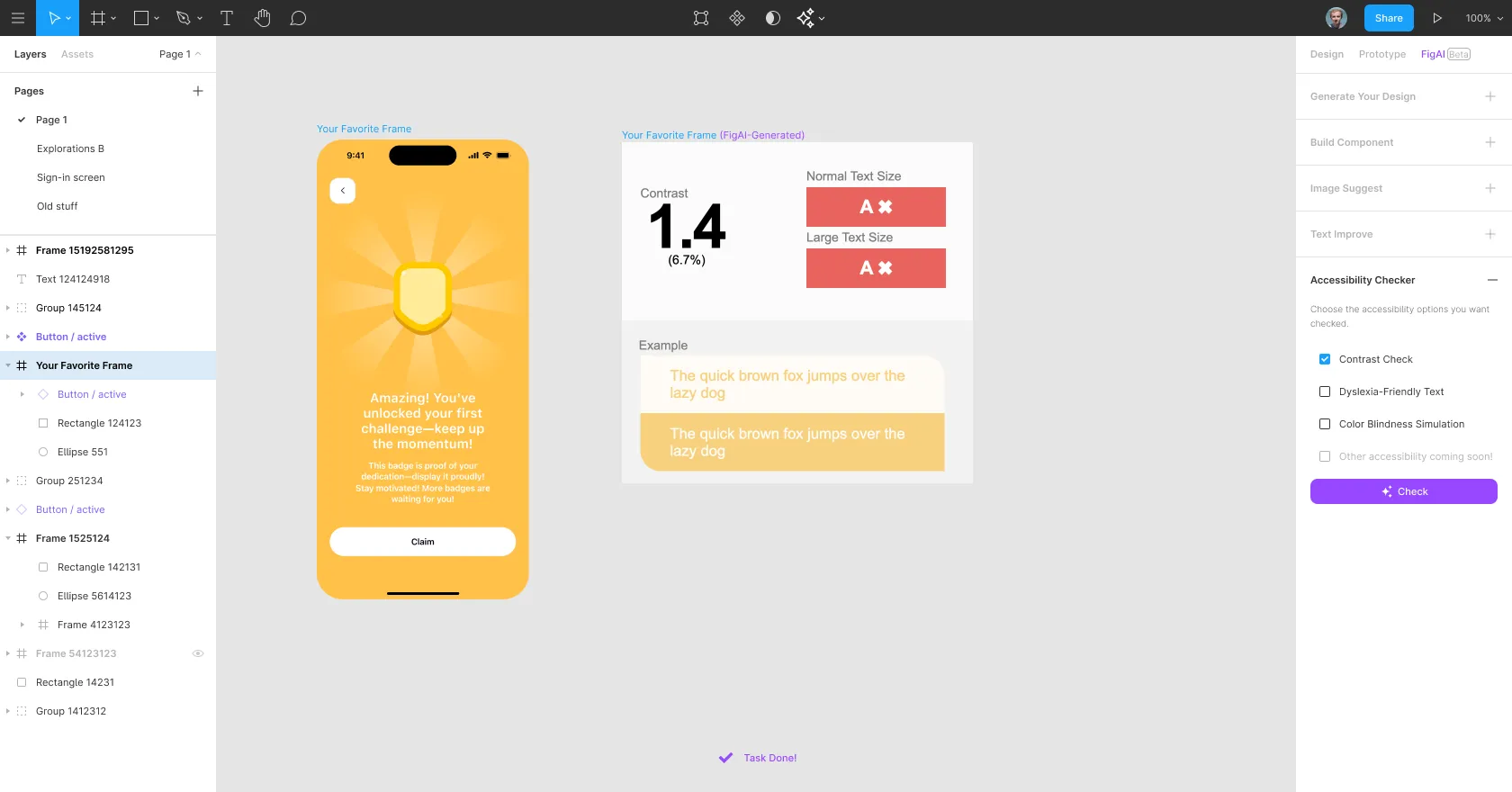
I didn’t want a cold, robotic tool. The personality had to be professional for experts, approachable for juniors and thoughtful about what comes next. FigAI sits in Figma’s right panel and in a quick menu, grouped into design, writing and accessibility help.
04Testing
What didn’t work, and how I changed it.
I ran usability tests with three designers across nine tasks, measuring time on task and how they felt. Two findings changed the design.
Accessibility needs a reason, not a verdict
Participants asked for guidance, not just error flags. I changed the checker to explain why a colour fails instead of only saying “Fail”.
Text help belongs where the text is
One participant suggested a Grammarly-style interaction, so I moved text improvement into the right-click menu for faster access.
05Outcome
Sketch to screen in 30 to 150 seconds.
Turning a rough sketch into a high-fidelity screen took participants between 30 and 150 seconds, a fraction of the time it takes by hand. Smart renaming was a clear favourite.
“Reduced workload significantly. Loved the loading animations and the step-by-step guidance.” Participant 1
With three participants this is early evidence, not proof. It shows the direction is worth pursuing; a larger study with a baseline would be needed to measure time saved.
06Reflection
From automation to augmentation.
FigAI isn’t about replacing designers. It’s about taking the boring part, the renaming, checking and formatting, off their plate so they have headspace for craft and decisions. Next would be a component builder that understands the design system, fuller accessibility guidance and team settings for shared preferences.